

Hello Dinosaur Trainers,
Guilds are around the corner, along with some major Dinosaur Cooldown changes! Here’s all you need to know in this colossal update.
Guilds
With Guilds, you’ll be able to connect with other players, and participate in Guild-based events to gain in-game rewards!
Whether you decide to create a Guild with your friends or join a Guild with other Trainers, the choice is yours!
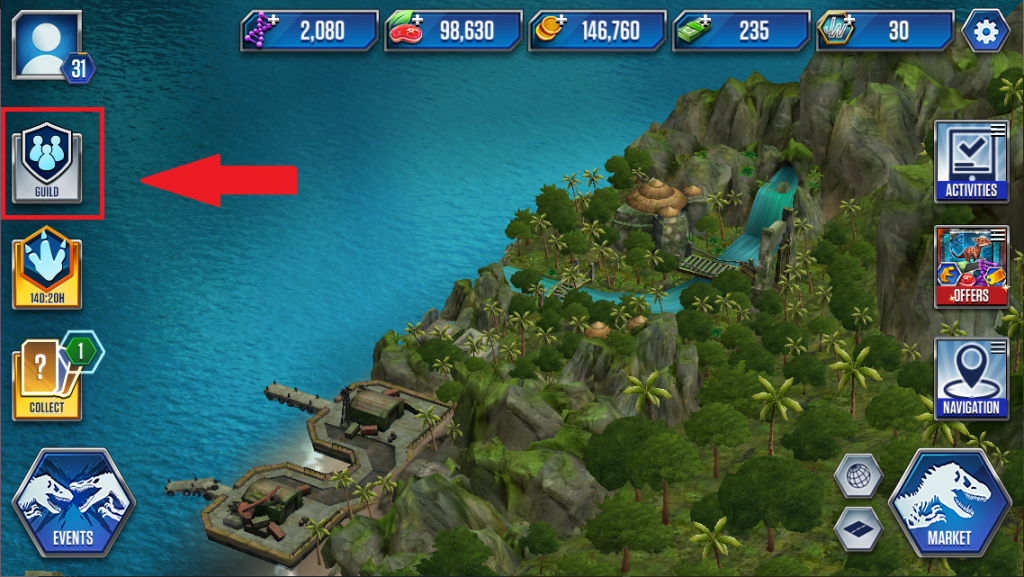
Guilds unlock at Level 13 and can be accessed just below your Player Profile icon.
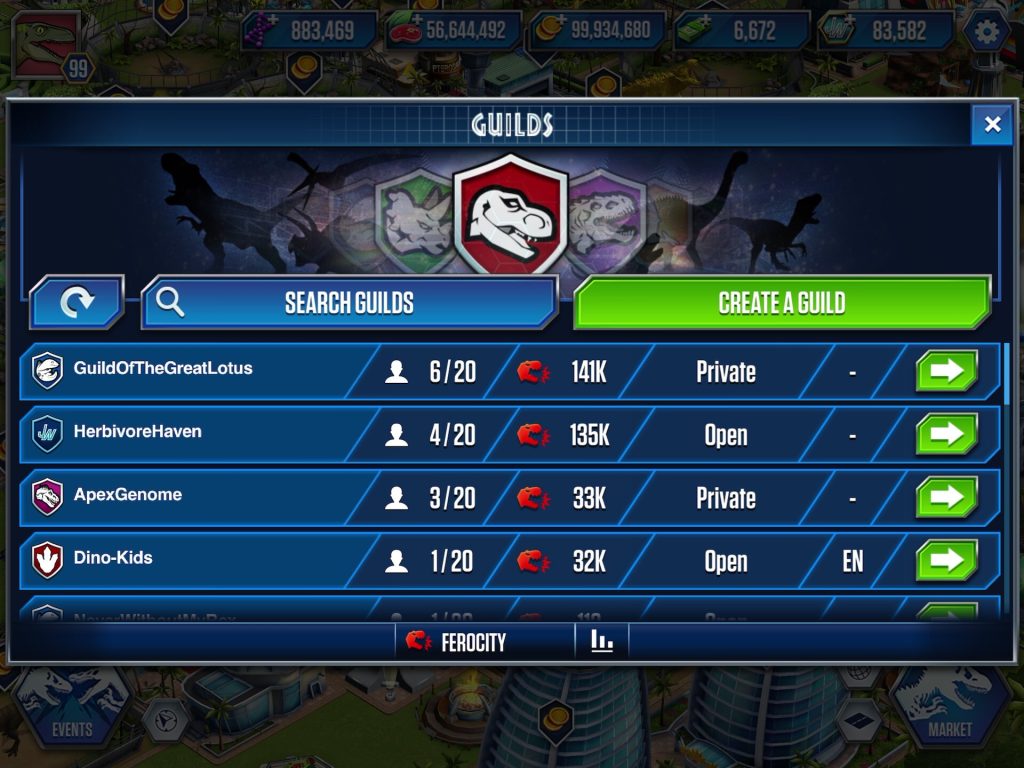
In the Guild main menu, you’ll be able to see a random selection of Guilds. Tap the refresh button on the top left to browse new ones, or use the Search Guilds option to look up a specific Guild by name.
Each available Guild displays the following information:
- Guild Name and their icon.
- Player count: The current number of members out of the maximum allowed.
- Combined Ferocity: The total ferocity of every guild member.
- Settings: Indicates whether you can auto-join a Guild (Open to all) or require approval from the Guild Leader.
- Language: Indicates the Guild’s preferred language.
You can tap the green arrow to view more info about the Guild and join it!
Please note that you can only be part of one Guild at a time.
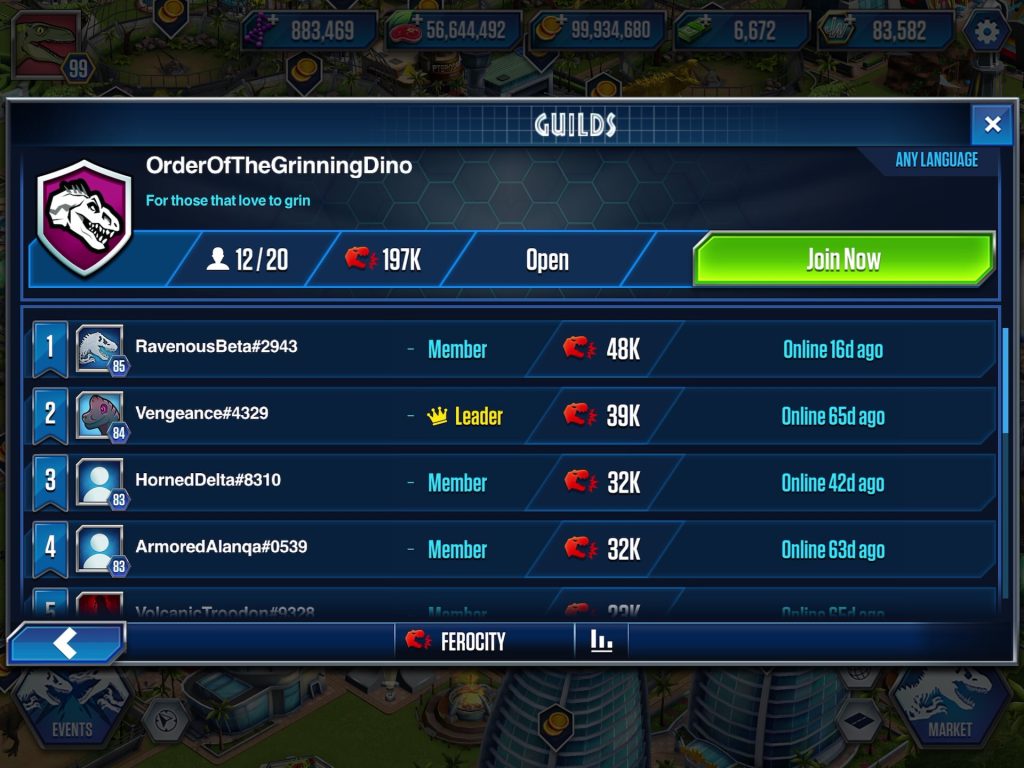
If being a leader is your true calling, you can also Create a Guild!
Create and Edit a Guild
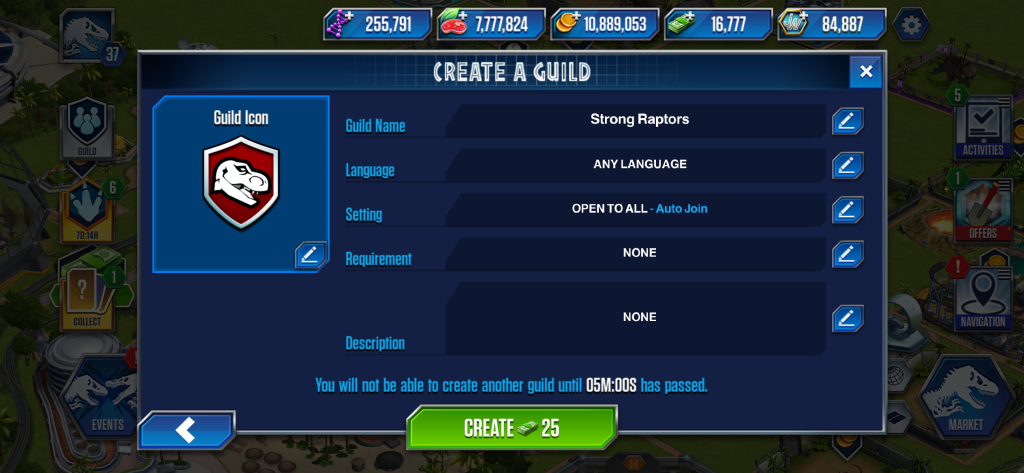
Personalize your Guild with the following options:
- Guild Icon: Pick your favorite icon from a wide selection.
- Guild Name: Enter your Guild’s name. Please note that names can only contain letters.
- Language: Choose your Guild’s preferred language.
- Settings: Choose whether players can join your Guild instantly (Open to all) or need your approval before joining (Need Approval)
- Requirements: Set a minimum level that players must reach to join your Guild.
- Description: Write a short description about your Guild.
Creating a Guild only costs a small amount of Hard Cash. Keep in mind, however, that you’ll need to wait a few minutes before you can create another one.
You can edit your Guild’s details at any time from your Guild’s main page.
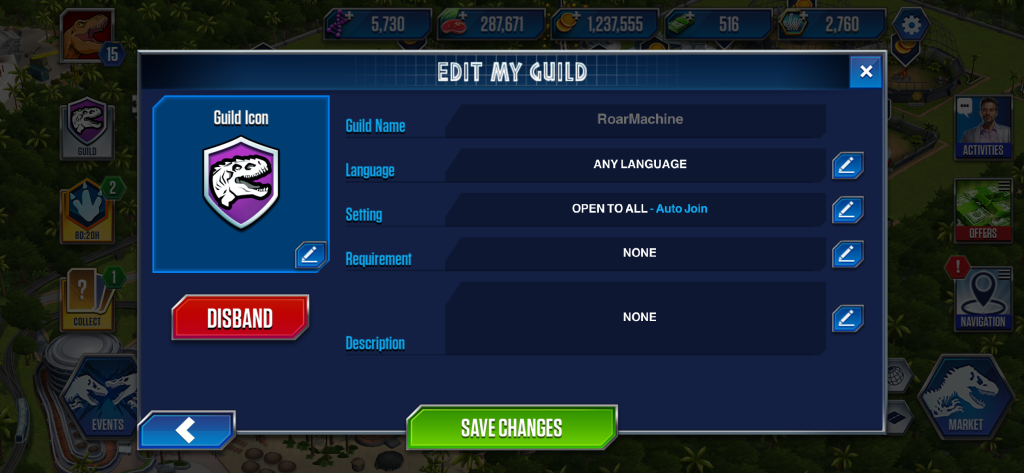
Tired of being a leader? You can disband your Guild at any time by tapping the red button below the Guild icon.
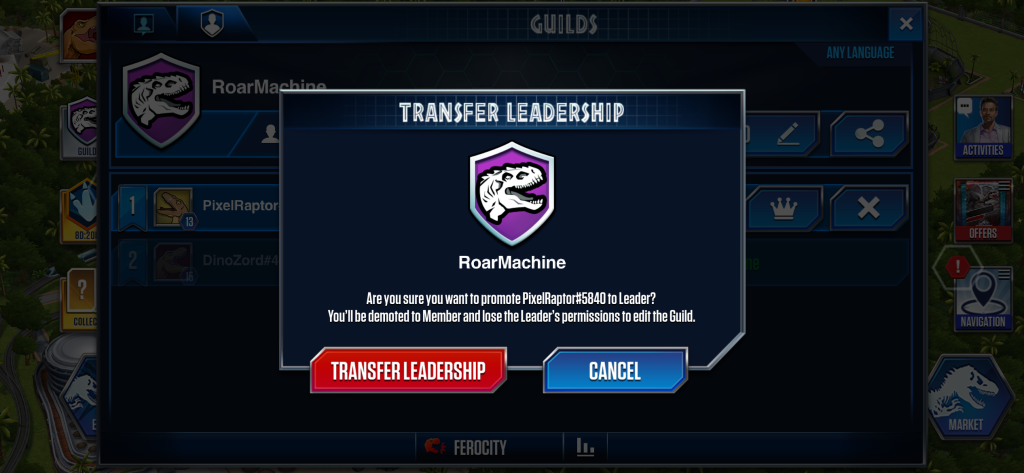
Ready to pass the torch? You can transfer leadership to one of your Guild Members by tapping the Crown icon besides their name. Keep in mind that you’ll become a regular member and will no longer be able to edit the Guild’s settings.
As a leader, you can also remove a member from your Guild by tapping the X icon next to their name.
If you’re unable to create a Guild right after updating the app, simply relaunch the game and you should be good to go!
Guild Events
Once you’ve joined or created a Guild, you’ll be able to take part in Guild events! Much like the current solo events, these will include Guild Cooperation Events and Guild Themed Events.
Guild Cooperation Events
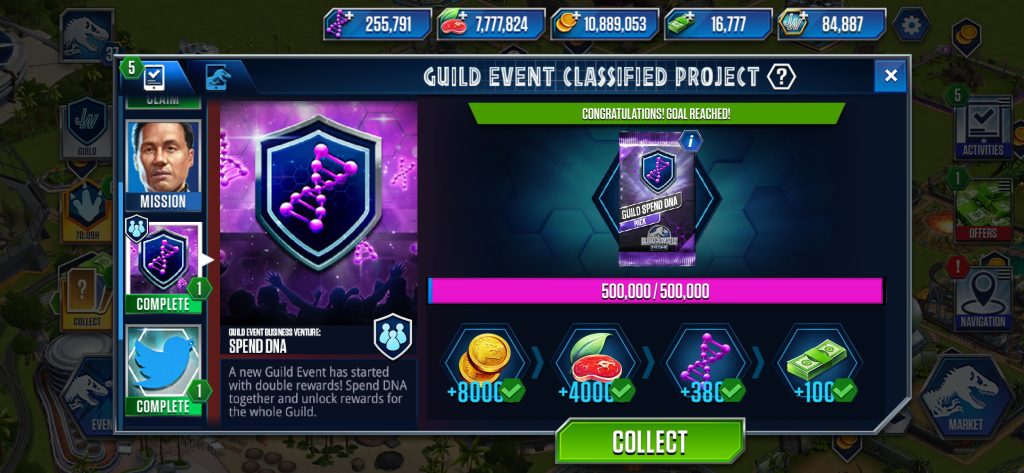
Just like regular community events, work together to complete the common objective and unlock in-game rewards for your entire Guild. The progress bar shows your personal contribution in blue and the rest of your fellow Guild members’ contributions in pink.
Guild Themed Events
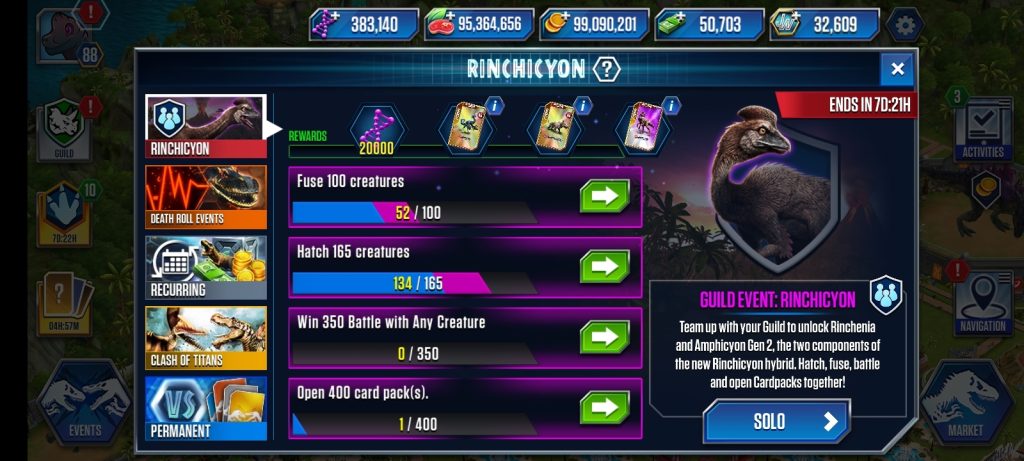
Similar to solo Themed Events, team up with your Guild to complete the different objectives and claim the listed in-game rewards. Just like the Guild Community Events, the progress bar shows your personal contribution in blue and the rest of your fellow Guild members’ contributions in pink.
You can switch between solo and Guild themed events at any time by tapping the SOLO/GUILD button in the bottom-right corner.
Guild Chat
Connect with your Guild by chatting with them, keeping tabs of their progress, and upcoming Guild events in the Guild Chat menu!
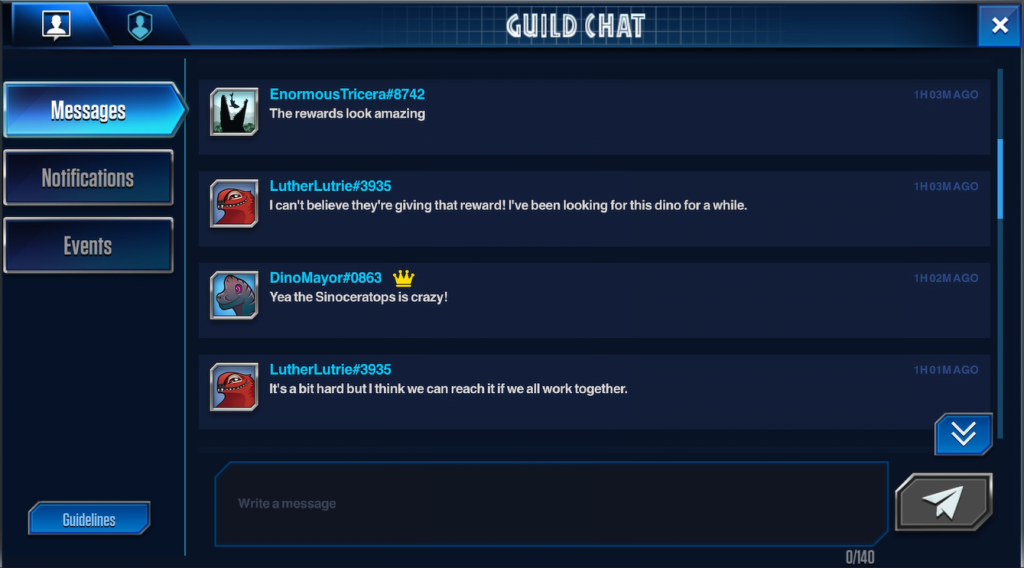
Messages: Chat with your Guild members in real time! The Guild Leader is easy to spot, with a crown next to their profile name. Messages can be up to 140 characters long, and keep in mind that messages from former Guild members will appear grayed out in the chat history.
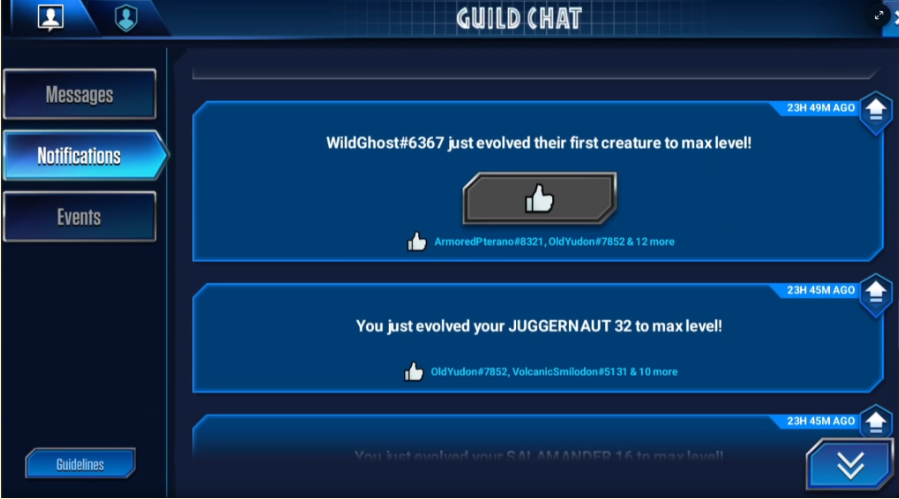
Notifications: Keep track of every Guild member’s progress, including your own, from dinosaur progression to event performance and more! Don’t forget to support your Guildmates by giving their activities a 👍!
Events: Check out all the current and upcoming Guild events.
Dinosaur Cooldown Changes
To improve game balance, Update 94 now calculates battle cooldowns based on a dinosaur’s Ferocity instead of its HP, aiming to ensure fairer wait times for high-HP dinosaurs.
Please note that these Cooldown changes only apply to Regular dinosaurs, Hybrids, and Super Hybrids. Playable Bosses and Heroics are not affected.
Regular Dinosaurs
Common, Rare, and Super Rare dinosaurs will have shorter cooldown times on average. On the other hand, some Unique, Stars, Loyalty, VIP, and Movie dinosaurs will experience longer cooldown times. For instance, level 30 Movie dinosaurs will be the most affected, with a little over 4 extra hours.
| Rarity | Level | Average Cooldown time difference* |
| Common | 10 | No change |
| Common | 20 | No significant changes |
| Common | 30 | No change |
| Common | 40 | − 1 min 50 sec |
| Rare | 10 | No change |
| Rare | 20 | − 1 min 50 sec |
| Rare | 30 | − 1 min 10 sec |
| Rare | 40 | − 4 min 50 sec |
| Super Rare | 10 | − 2 min 20 sec |
| Super Rare | 20 | − 1 min 50 sec |
| Super Rare | 30 | − 6 min 40 sec |
| Super Rare | 40 | − 5 min 20 sec |
| Legendary | 10 | − 2 min 20 sec |
| Legendary | 20 | No significant changes |
| Legendary | 30 | − 9 min 40 sec |
| Legendary | 40 | − 26 min 20 sec |
| Unique and Star | 10 | + 13 min 50 sec |
| Unique and Star | 20 | + 1 h 20 min |
| Unique and Star | 30 | + 1 h 10 min |
| Unique and Star | 40 | − 29 min 20 sec |
| Loyalty and VIP | 10 | + 1 h 50 min |
| Loyalty and VIP | 20 | + 2 h 40 min |
| Loyalty and VIP | 30 | +2 h 6 min |
| Loyalty and VIP | 40 | + 17 min 20 sec |
| Movie | 10 | + 2h |
| Movie | 20 | + 3 h 10 min |
| Movie | 30 | + 4 h 20 min |
| Movie | 40 | − 34 min 50 sec |
Hybrids
Hybrids will have shorter cooldown times across the board. High-level Super Rare, Legendary and Unique hybrids will benefit the most from these changes, with reductions ranging from 7 to 36 hours.
| Rarity | Level | Average Cooldown time difference* |
| Common | 10 | − 2 min 20 sec |
| Common | 20 | − 1 min 10 sec |
| Common | 30 | − 4 min 50 sec |
| Common | 40 | − 48 min |
| Rare | 10 | − 5 min 20 sec |
| Rare | 20 | − 5 min 20 sec |
| Rare | 30 | − 37 min 50 sec |
| Rare | 40 | − 1 h 10 min |
| Super Rare | 10 | − 4 min 50 sec |
| Super Rare | 20 | − 13 min 50 sec |
| Super Rare | 30 | − 32 min 20 sec |
| Super Rare | 40 | − 5 h 10 min |
| Legendary | 10 | − 35 min 20 sec |
| Legendary | 20 | − 1 h 10 min |
| Legendary | 30 | − 7 h 10 min |
| Legendary | 40 | − 20 h 30 min |
| Unique and Star | 10 | − 26 min 20 sec |
| Unique and Star | 20 | − 16 min 10 sec |
| Unique and Star | 30 | − 13 h 30 min |
| Unique and Star | 40 | − 35 h 30 min |
Super Hybrids
Super Hybrids are affected a little differently. While low-level Super Hybrids will have slightly longer cooldown times on average, high-level Legendary and Unique Super Hybrids will experience significantly shorter cooldown time, with reductions ranging from 7 to 49 hours.
| Rarity | Level | Average Cooldown time difference* |
| Common | 10 | + 1 h 40 min |
| Common | 20 | + 2 h 40 min |
| Common | 30 | + 19 min 12 sec |
| Common | 40 | − 1 h 30 min |
| Rare | 10 | + 4 h 50 min |
| Rare | 20 | + 4 h 10 min |
| Rare | 30 | − 1 min 10 sec |
| Rare | 40 | − 28 min 50 sec |
| Super Rare | 10 | + 3 h 10 min |
| Super Rare | 20 | − 41 min 20 sec |
| Super Rare | 30 | − 1 h 10 min |
| Super Rare | 40 | − 7 h 10 min |
| Legendary | 10 | + 52 min 10 sec |
| Legendary | 20 | − 46 min 50 sec |
| Legendary | 30 | − 7 h 20 min |
| Legendary | 40 | − 38 h 30 min |
| Unique and Star | 10 | − 1 h 30 min |
| Unique and Star | 20 | − 3 h 30 min |
| Unique and Star | 30 | − 17 h 40 min |
| Unique and Star | 40 | − 49 h |